Integrating groq ai with your azure environment
21 JUL // 2025
Integrating Groq AI into your Azure environment
Groq
Groq provides a nice and flexible API service, allowing external programs to make calls to their collection of open-source LLM's. Their prices are relatively cheap, especially when compared with the prices that Azure offers for their internal LLM capabilities. This makes it an excellent choice for integrating AI services into your own application.

Image: Groq logo
Security and observability concerns
But allowing all Azure development teams and applications to receive an API key and query the Groq API can be a bit of a security concern. This moves some of the control to the Groq dashboard, when everything else is often managed inside of Azure. What we really want is to manage all API connections to Groq, by introducing ratelimiting, individual key management and logging.
Azure API Management
Enter Azure API Management, or APIM for short, which will allow us to seamlessly integrate an external API into our Azure environment.
Image: Azure API Management
In the following steps we're going to enroll an external API into API Management:
- Go to the Azure portal
- Search for the 'API Management services' service.
- Create a new service and fill out all required information. Enable Log Analytics and Application Insights to allow for monitoring. Note that these extra services need to exist before you can add them here.
- Make sure you have an account on Groq.com, and create an API key. Note down both the API key and the endpoint url.
- Back inside of APIM create a new HTTP API with a GET operation. Fill in the endpoint url to make the request contact the Groq url.
- Under Operations, add the following inbound policy. Replace the 'MY-SECRET-KEY' with your own API key.
Now you can retreive your own Azure endpoint under the settings, which will be something like https://jefmeijivs.azure-api.net/ai or any other naming convention that you chose. You can also enable the a subscription underneath the settings, allowing you to create your own API keys to be used with this service. Inside of APIM, all calls will be made with your original Groq key.
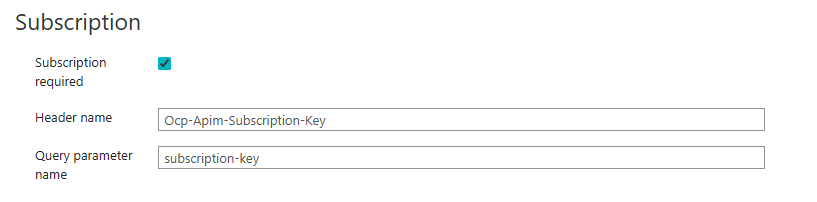
Image: Subscription
And that's about it. All your API calls can now be logged, monitored, rate limited and adjusted by routing them via APIM. You can also set up different API keys for different applications etc..